

Digitize Today, Dominate Tomorrow
-
 Send Us Mail
 -
 Call 24/7 Hours
+91 9277 802030

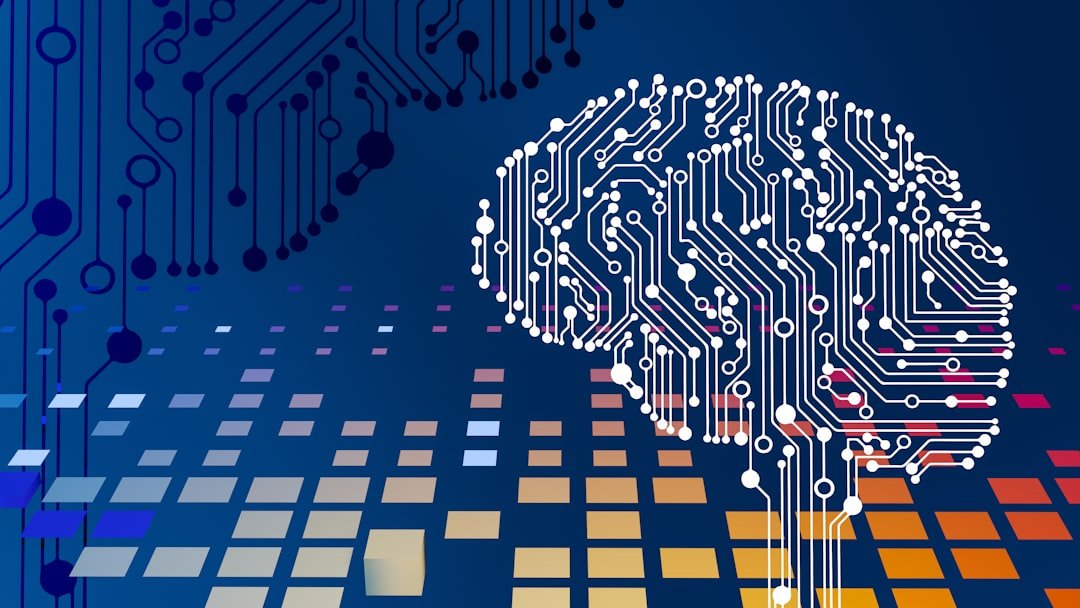
AI agents for business are moving beyond chatbots that simply answer questions. In 2026, enterprises are increasingly using AI agents to understand goals, use tools, work across business systems, complete multi-step tasks, and hand work back to people when human judgment is needed.
This shift is changing the way enterprises think about automation. AI agents for business can coordinate information, make bounded decisions, trigger approved actions, and continuously improve with feedback instead of automating only one fixed task at a time.
For businesses planning their next phase of digital transformation, the real question is no longer whether AI agents are possible. The important question is how to build them in a way that is reliable, secure, measurable, scalable, and useful in real operations.
An AI agent is a software system that can receive a goal, understand context, decide what steps are required, use connected tools or data sources, and take actions within defined limits.
A traditional chatbot may answer, “Here is how you can update a customer record.” An AI agent can potentially identify the correct customer, verify the required information, update the record through an approved system, document the action, and alert a person if something falls outside its permissions.
The difference is simple: chatbots mainly respond, while agents can work through a process.
Major technology providers are now building enterprise platforms around agent development, orchestration, governance, and production deployment. OpenAI describes its enterprise agent offering as a way to help organizations deploy agents that can answer questions, use company systems, take approved actions, and escalate when needed. Google Cloud is similarly positioning agent platforms around multi-step business processes, governance, and secure deployment, while Microsoft is adding managed runtimes, scheduling, memory, tool management, and governance capabilities for production agents.
These developments show that enterprise AI is moving from isolated experiments toward operational systems. For companies evaluating AI agents for business, the opportunity is significant, but production use requires much more than choosing a powerful model.
An AI support agent can do more than answer FAQs. With the right permissions, it can identify the customer, check order or service status, search internal documentation, suggest a resolution, update a support ticket, and escalate complex cases to the correct team.
Sales teams can use agents to research accounts, organize lead information, summarize interactions, prepare personalized follow-ups, update CRM fields, identify missing information, and notify sales representatives when a lead reaches a defined threshold.
Recruitment workflows contain many repetitive steps that can benefit from controlled agentic automation. An agent can extract skills from a job description, compare profiles against required criteria, summarize candidate fit, identify missing information, prepare interview questions, and support recruiters with faster shortlisting.
This approach is especially valuable for staffing businesses handling multiple roles, technologies, locations, and experience levels at the same time.
AI agents can assist operations teams with invoice review, document classification, exception handling, internal reporting, reconciliation support, approval routing, and policy-based checks. High-risk financial actions should still remain behind human approvals and strong access controls.
Engineering teams can use agents to summarize incidents, inspect monitoring information, classify support requests, generate troubleshooting steps, prepare deployment reports, assist with code review, and coordinate repetitive operational tasks.
| Traditional Automation | AI Agent |
| Follows predefined rules | Can reason about a goal within defined boundaries |
| Works best with predictable inputs | Can handle more variation in language and context |
| Usually follows one fixed workflow | Can choose between approved tools or workflow paths |
| Changes require workflow updates | Can adapt decisions using context, policies, and feedback |
| Excellent for deterministic tasks | Useful for semi-structured, knowledge-heavy processes |
The best enterprise systems often combine both approaches. Deterministic automation should continue handling tasks where exact rules are required, while agents can manage the parts of the process that need interpretation, reasoning, or flexible tool use.
Do not begin with “we need an AI agent.” Begin with a measurable problem such as reducing support resolution time, improving candidate screening speed, automating a reporting workflow, or reducing manual CRM updates.
A narrow first use case makes testing easier and limits operational risk.
Every production agent needs explicit boundaries. Define which systems it can access, which actions it can perform automatically, which actions require approval, what information is restricted, and when it must escalate to a human.
An agent is only as useful as the information available to it. Depending on the use case, this can include CRM records, ticketing systems, internal knowledge bases, product documentation, ERP data, databases, cloud applications, or custom APIs.
Permissions should follow the principle of least privilege. The agent should only access the information and actions required for its specific role.
Most useful AI agents for business require tools. A tool can be an API for sending an email, checking an order, updating a CRM, searching company documentation, running a calculation, creating a support ticket, or interacting with another enterprise application.
Tool contracts should be simple and tightly scoped. The agent should receive only the capabilities it actually needs.
Not every action should be autonomous. Payments, contract changes, user deletion, major pricing decisions, sensitive HR actions, and production infrastructure changes are examples where human approval may be necessary.
Human-in-the-loop design is not a limitation. It is often what makes an AI agent safe enough to use in a real business environment.
A demo can look impressive with clean inputs. Production systems face incomplete requests, conflicting information, unavailable tools, unexpected user behavior, permission problems, and unusual edge cases.
Before launch, test normal cases, difficult cases, unsafe requests, missing data, tool failures, permission errors, repeated attempts, and escalation scenarios.
Once deployed, measure more than response accuracy. Track task completion rate, escalation rate, human correction rate, latency, tool failures, cost per completed workflow, user satisfaction, and incidents.
These metrics show whether the agent is creating real business value or simply generating more automated activity.
AI agents can access data and take actions, which means security must be treated as a core architecture requirement.
Enterprise platforms from Google Cloud and Microsoft are increasingly emphasizing centralized agent governance, monitoring, identity, and runtime controls, showing how important these capabilities become as organizations move from prototypes to larger agent deployments.
Many businesses do not need a complex multi-agent architecture on day one. A single well-designed agent with a small number of trusted tools is usually easier to secure, evaluate, maintain, and improve.
Multi-agent systems make sense when a workflow genuinely contains specialized responsibilities. For example, one agent may gather information, another may evaluate it against policy, and a third may prepare an approved action. The architecture should follow the business problem, not the trend.
Building an AI agent is not only a model-integration project. It requires product design, APIs, software engineering, cloud infrastructure, security, data integration, workflow design, monitoring, and continuous optimization.
AppZime provides AI & ML development services for businesses that want to integrate intelligent automation, language models, predictive systems, and AI-enabled workflows into existing or new digital products.
Our custom software development, cloud, DevOps, and product engineering capabilities can support the complete lifecycle, from proof of concept and workflow design to secure application integration and production deployment.
AI agents are becoming an important part of enterprise software, but successful adoption will depend less on how autonomous an agent appears and more on how reliably it completes useful work.
The strongest approach is to start with one valuable workflow, give the agent carefully controlled access, keep people involved in high-impact decisions, measure real outcomes, and expand only when the system proves dependable.
If your organization is exploring AI agents, workflow automation, or AI integration, AppZime Technologies can help turn the idea into a secure, scalable production solution.
Our AI will analyze your requirements and match you with vetted developers from our global talent pool efficiently and accurately
Drag and drop your PDF or DOCX here, or click to browse
Supported formats: PDF, DOCX (Max 10MB)
Takes ~15 seconds · No signup required
Our AI neural network is processing your requirements across millions of data points
Extracting key requirements and technical specifications
Identifying required technologies, frameworks, and expertise levels
Scanning our global database of pre-screened professionals
Applying proprietary algorithm to find best-fit matches
Ranking and selecting top candidates for your review
AI-powered matching based on your requirements
Unlock full roster with detailed profiles, interview recordings, and salary expectations.
Fill in your details to unlock full candidate profiles and connect with top talent.
 Mobile App Development
 AI & ML
 IT Consulting
 Website Development
 Digital Transformation
 Software Development
 DevOps & Cloud Solutions
 Product Design & Ideation
 Hire Nodejs Developer
 Hire ReactJs Developer
 Hire AngularJs Developer
 Hire Flutter Developer
 Hire VueJs Developer
 Hire Android Developer
 Hire iOS Developer
 Hire Python Developer
 Hire DotNet Developer
 Hire Laravel Developer
 Hire PHP Developer
 Hire CodeIgniter Developer
 Hire Golang Developer
 Hire ROR Developer
 Hire SalesForce Developer


Comments (0)
No comments yet.
Leave Your Comment: