Tech Journal | AppZime Technologies

GPT-6 Astra Launch: 8 Powerful Business Implications for Enterprise AI

GPT-6 Astra enterprise AI became one of the biggest technology updates of September 3, 2026 when OpenAI announced GPT-6 Astra with improvements across coding, research, computer use and complex multi-step work. The release signals an important shift from AI systems that mainly answer questions toward systems that can complete longer, connected tasks across tools and files.

For businesses, the practical question is not whether a new model is impressive. It is whether the new capability changes which workflows can be automated safely and economically.

What OpenAI Announced on September 3, 2026

OpenAI’s release notes describe GPT-6 Astra as a new model with stronger capabilities in coding, research, computer use and multi-step work. Access began with a limited set of organizations, with broader availability planned afterward. OpenAI also described additional safety monitoring for cases where agents may not have interpreted instructions correctly.

Businesses can review the official announcement in the ChatGPT release notes and OpenAI’s research page.

Why GPT-6 Astra Enterprise AI Matters

Enterprise AI adoption is increasingly about task completion rather than text generation. A model that can reason across several steps, interact with software and maintain context through a long workflow may support use cases that previously needed significant manual coordination.

1. AI Can Participate in Longer Business Processes

Many valuable workflows are not one-step prompts. They involve reading data, comparing options, creating documents, updating systems and requesting approval. Stronger multi-step capability makes these workflows more realistic candidates for controlled automation.

2. Computer Use Expands Automation Possibilities

Traditional integrations require APIs. Computer-use capabilities can potentially interact with software through interfaces when APIs are limited, although this approach needs strong monitoring because interfaces can change and actions can be ambiguous.

3. Coding Agents Can Handle Broader Engineering Work

AI coding tools can already generate code, tests and documentation. More advanced models may take on larger connected tasks such as repository exploration, debugging across files and implementing multi-part changes. Human code review and automated testing remain essential.

4. Research Workflows Can Become More Autonomous

Research assistants can gather sources, compare information and prepare structured outputs. Businesses should require evidence trails, citations and clear rules for distinguishing verified facts from inference.

5. Document and File Workflows Become More Important

OpenAI highlighted document, spreadsheet and presentation work in Astra’s capabilities. For enterprises, this can support reporting, analysis, proposal preparation and operational documentation, especially when templates and approval rules are defined.

6. Agent Safety Needs More Than Prompt Instructions

More capable agents need stronger runtime controls. Permissions, tool access, human approval, audit logs, rate limits and shutdown mechanisms should be implemented outside the model wherever possible.

7. Evaluation Must Match Real Business Tasks

Benchmark scores do not tell a company whether an AI system will perform its specific workflow reliably. Organizations should build internal evaluation sets using real documents, coding tasks, support requests and edge cases.

8. AI Architecture Should Stay Flexible

The rapid pace of model releases means businesses should avoid unnecessary lock-in. Keep business logic, access control and data connections as modular as practical so models can be compared or replaced over time.

Capability Possible business use Control needed
Research Market and document analysis Source verification
Coding Implementation and debugging Review and tests
Computer use Legacy workflow automation Restricted permissions
Documents Reports and proposals Templates and approval
Agents Multi-step operations Monitoring and escalation

How to Evaluate GPT-6 Astra for Your Business

  1. Choose a measurable workflow.
  2. Build a realistic test set.
  3. Define acceptable errors before testing.
  4. Compare current and new models on quality, cost and latency.
  5. Test tool failures and ambiguous instructions.
  6. Restrict permissions during the pilot.
  7. Measure human correction time.
  8. Expand only after reliability is demonstrated.

Where AppZime Can Help

Enterprise AI usually requires application engineering, data integration and workflow design around the model. AppZime’s technology services can support businesses building AI-enabled software and automation. Teams looking for additional engineering capacity can also explore IT staffing.

FAQ

Does GPT-6 Astra mean every process should be automated?

No. Automation should be based on business value, reliability and risk. Some decisions should remain human-led.

What should businesses test first?

Start with a repetitive workflow where task completion and correction effort can be measured clearly.

Is computer-use automation safer than API integration?

Not necessarily. APIs usually provide more structured contracts. Computer use can be valuable where APIs are unavailable, but it needs strong controls.

Final Takeaway

The GPT-6 Astra enterprise AI launch is important because it pushes AI deeper into connected work, coding, research and computer interaction. The businesses that gain the most will not be those that automate everything first, but those that identify valuable workflows, build strong controls and measure whether autonomous execution actually improves outcomes.

Cybersecurity Checklist for Small Businesses in India 2026: 14 Strong Controls

Cybersecurity checklist for small businesses in India 2026 should focus on practical controls that reduce common risks without requiring an enterprise-sized security team. Small and mid-sized businesses often depend on cloud email, SaaS tools, employee laptops, vendor access and shared digital workflows. That makes identity, backups, patching and access control especially important.

Security does not begin with buying more tools. It begins with knowing what systems the business uses, who can access them and what should happen when something goes wrong.

Why a Cybersecurity Checklist for Small Businesses in India 2026 Matters

Many incidents begin with basic weaknesses: reused passwords, missing updates, excessive permissions, weak backups or phishing. A disciplined baseline can reduce exposure substantially.

1. Enable Multi-Factor Authentication

Use MFA on business email, cloud platforms, admin accounts, finance systems and remote-access tools. Administrator accounts should receive the strongest protection.

2. Use a Business Password Manager

A password manager helps employees create unique credentials instead of reusing simple passwords. Shared credentials should be reduced wherever individual accounts are possible.

3. Remove Unused Accounts Quickly

When employees, vendors or interns leave, access should be removed promptly. Maintain an offboarding checklist covering email, SaaS, VPN, repositories and cloud accounts.

4. Apply Least-Privilege Permissions

People should receive only the access required for their role. Administrator access should be separate from everyday user accounts.

5. Patch Operating Systems and Applications

Keep laptops, servers, browsers, plugins and business applications updated. Unsupported software should be replaced or isolated.

6. Protect Email Against Phishing

Use spam and malware protection, train employees to inspect unusual requests and create a simple process for reporting suspicious messages. Financial or credential-related requests deserve additional verification.

7. Back Up Critical Data

Backups should be automated, protected from ordinary user accounts and tested through restoration. A backup that has never been restored is only an assumption.

8. Encrypt Sensitive Data

Use encrypted connections and device encryption where appropriate. Avoid storing sensitive files in uncontrolled personal accounts or consumer sharing tools.

9. Secure Employee Devices

Use screen locks, anti-malware controls, disk encryption and device management where practical. Lost laptops should not automatically expose business information.

10. Control Vendor Access

Third-party access should be time-bound and documented. Vendors should not receive permanent administrator credentials for convenience.

11. Maintain an Asset Inventory

List important devices, cloud services, domains, websites, databases and business software. You cannot protect systems the organization has forgotten about.

12. Monitor Important Logs

At minimum, monitor suspicious login attempts, administrator changes, unusual email forwarding rules and critical cloud events. Alerting should focus on events someone will actually investigate.

13. Write an Incident Response Plan

Decide who will lead, who will communicate, how systems will be isolated and which external specialists should be contacted. Keep contact information available outside the affected systems.

14. Run Regular Security Reviews

Review accounts, access, patches, backups and vendors on a recurring basis. Security drifts over time as people and systems change.

Area Minimum control Owner
Identity MFA and unique accounts IT/Admin
Devices Patching and encryption IT
Data Backups and access rules IT/Business owner
Email Phishing protection IT/HR
Incidents Written response plan Leadership

Useful Cybersecurity Frameworks

The U.S. National Institute of Standards and Technology provides widely used cybersecurity guidance at NIST Cybersecurity Framework. OWASP also publishes application-security guidance at OWASP.

Website and Application Security

Businesses running customer-facing applications should also review authentication, authorization, input validation, dependency updates and API security. Security should be part of the software lifecycle rather than a one-time launch checklist.

AppZime’s technology services can support secure software and digital-product delivery. Organizations that need additional technical specialists can also explore IT staffing.

Simple Monthly Security Routine

  1. Review new and departed users.
  2. Check admin accounts.
  3. Confirm device and software updates.
  4. Review backup status and restoration tests.
  5. Check important security alerts.
  6. Review vendor access.
  7. Update the asset inventory.

FAQ

What is the first cybersecurity step for a small business?

Start with MFA, unique passwords, account inventory, patching and tested backups. These controls address several common risks quickly.

Do small businesses need a security team?

Not always. Many businesses can begin with clear ownership, managed tools and external specialists where needed, then expand security roles as complexity grows.

How often should backups be tested?

Testing frequency depends on business criticality, but restoration should be verified regularly rather than waiting for an incident.

Final Takeaway

A useful cybersecurity checklist for small businesses in India 2026 is built around identity, updates, backups, devices, vendors and incident readiness. Consistent execution of basic controls is more valuable than buying advanced tools that nobody owns or monitors.

Cloud Migration Checklist for Indian Businesses 2026: 15 Essential Steps

Cloud migration checklist for Indian businesses 2026 is useful for companies moving applications, databases or internal workloads from on-premise infrastructure to cloud platforms. Migration is not simply a hosting change. It affects architecture, security, operations, cost control, backup, compliance and the way teams release software.

A rushed migration can move existing problems into a more expensive environment. A structured plan helps businesses decide what should move, what should stay, what should be modernized and how risk will be controlled during the transition.

Why Use a Cloud Migration Checklist for Indian Businesses 2026?

Cloud adoption can improve scalability and operational flexibility, but only when workloads are understood. Businesses should know application dependencies, data sensitivity, performance needs and current infrastructure cost before choosing a migration path.

1. Define the Business Reason for Migration

Common goals include reducing infrastructure management, improving disaster recovery, supporting growth, enabling faster deployment or replacing ageing hardware. Write down the target outcome so technical decisions can be evaluated against it.

2. Inventory Applications and Infrastructure

Create a list of servers, databases, storage, networks, scheduled jobs, integrations and third-party dependencies. Hidden dependencies are a common cause of migration delays.

3. Classify Data by Sensitivity

Separate public, internal, confidential and regulated data. This informs encryption, access control, backup and data-location decisions.

4. Map Application Dependencies

Understand which applications communicate with each other and which systems rely on fixed IPs, legacy protocols or local network access. Migration waves should respect these dependencies.

5. Choose a Migration Strategy per Workload

Not every workload should be treated the same. Options include rehosting, replatforming, refactoring, replacing or retiring an application. Simple workloads may move quickly, while critical systems may justify modernization.

6. Select Cloud Services Based on Requirements

Avoid selecting services only because they are popular. Compare performance, availability, regional presence, managed-service maturity, security controls and operational skills available within your team.

7. Design Identity and Access First

Cloud security begins with identity. Use role-based access, multi-factor authentication, least privilege and separate administrative accounts. Avoid giving broad permissions to users or service accounts.

8. Plan Network Architecture

Define virtual networks, subnets, firewalls, private connectivity and DNS. Network design should support segmentation between public-facing and internal systems.

9. Encrypt Sensitive Data

Use encryption in transit and at rest where appropriate. Manage keys carefully and document who can access them.

10. Design Backup and Recovery

Cloud does not remove the need for backup strategy. Define recovery point objectives and recovery time objectives for important systems, then test restoration.

11. Build Cost Controls Before Migration

Tag resources, define budgets, enable alerts and assign ownership. Unused environments, oversized compute and forgotten storage can create avoidable cost.

12. Create a Pilot Migration

Start with a low-risk but representative workload. A pilot validates tooling, networking, access, monitoring and operational processes before critical systems move.

13. Test Performance and Security

Run functional, load, failover and security tests. Confirm that monitoring, alerts and logs work in the new environment.

14. Plan Cutover and Rollback

Every production migration should have a clear cutover window, communication plan, decision owner and rollback path. Know exactly when the team will stop and reverse a migration if problems occur.

15. Optimize After Migration

Once workloads are stable, review cost, performance and architecture. Migration completion is the beginning of cloud operations, not the end.

Phase Main focus Key output
Discover Inventory and dependencies Workload map
Plan Architecture and migration strategy Migration waves
Pilot Validate controls Tested approach
Migrate Cutover and verification Production workload
Optimize Cost and reliability Operational baseline

Cloud Security References

The Cloud Security Alliance publishes cloud-security guidance at cloudsecurityalliance.org. Major cloud providers also maintain architecture and security documentation that should be reviewed for the services your organization uses.

How AppZime Can Support Cloud Projects

Cloud migration usually touches applications, infrastructure and deployment processes together. AppZime’s technology services can support software modernization and digital delivery, while teams requiring extra cloud or engineering specialists can explore IT staffing.

FAQ

Should every application move to the cloud?

No. Some workloads may remain on-premise because of latency, hardware, regulatory or economic requirements. Hybrid architecture can be appropriate.

What is the biggest cloud migration risk?

Unclear dependencies are a major operational risk because moving one workload can unexpectedly affect another.

How can businesses control cloud cost?

Use resource ownership, budgets, alerts, right-sizing, lifecycle policies and regular cost reviews from the start.

Final Takeaway

A practical cloud migration checklist for Indian businesses 2026 turns a complex infrastructure change into manageable phases. Inventory first, secure identity, test recovery, control cost and move in waves. The goal is not simply to reach the cloud; it is to operate more reliably after the migration than before it.

OpenAI Automated Shutdown Capabilities: 6 Critical AI Safety Lessons for Businesses

OpenAI automated shutdown capabilities became a major AI safety topic on September 2, 2026 after Reuters reported that OpenAI told U.S. lawmakers it was developing automated shutdown capabilities for AI systems following concerns around agent behavior during a security test.

For enterprises, the important lesson is broader than one incident. As AI systems gain tool access, internet access and the ability to execute multi-step tasks, businesses need technical controls that can stop or isolate a workflow when behavior moves outside approved boundaries.

What the September 2 Update Said

Reuters reported that OpenAI was improving monitoring, restricting internet access during safety tests and building automated shutdown capabilities. The report followed scrutiny around an earlier security-testing incident involving an AI agent and Hugging Face. Businesses should read the original Reuters report for the full context: OpenAI is building automated shutdown capabilities for AI tools.

The technical details of internal safety systems are not the main takeaway for most companies. The useful question is: what should your own AI application do when an agent behaves unexpectedly?

Why OpenAI Automated Shutdown Capabilities Matter to Enterprises

Traditional software usually performs deterministic actions. Agentic AI can choose among tools, interpret ambiguous instructions and continue through several steps. That flexibility creates value, but it also means organizations need stronger runtime controls.

1. Every Agent Needs a Clear Operating Boundary

Define which systems the agent can access, which actions it can perform automatically and which actions require approval. Boundaries should exist in code and permissions, not only in prompts.

2. Read Access and Write Access Should Be Separated

An AI assistant that can read a CRM does not automatically need permission to modify records. Separating capabilities reduces the impact of mistakes and makes approval workflows easier to design.

3. High-Risk Actions Need Human Approval

Payments, user deletion, contract changes, sensitive HR decisions and production infrastructure changes are examples of actions that may require human confirmation. Human-in-the-loop design is often a production control, not a weakness.

4. AI Workflows Need Runtime Monitoring

Organizations should track tool calls, repeated failures, unusual data access, long-running loops and unexpected destinations. Monitoring should be tied to alerts and automatic containment rules when appropriate.

5. A Kill Switch Should Be Tested

An emergency stop is only useful if it works under real conditions. Teams should test how an agent is paused, how credentials are revoked, what happens to partially completed work and how operators recover safely.

6. Audit Logs Should Explain What Happened

Important AI actions should leave enough evidence for investigation. Logs may include user request, tool selection, permission decision, system response, error state and final outcome. Sensitive data should still be protected.

Control Purpose Example
Permission boundary Limit available actions Read-only CRM access
Approval gate Protect high-impact actions Manager approves refund
Runtime monitoring Detect abnormal behavior Alert on repeated failed tool calls
Shutdown control Contain incidents Disable agent credentials
Audit log Support investigation Record tool calls and outcomes

How Businesses Should Design AI Agent Safety

  1. Start with a narrow workflow.
  2. Map every tool the agent can use.
  3. Assign least-privilege permissions.
  4. Define actions that require human approval.
  5. Create observable logs and metrics.
  6. Add timeouts, rate limits and retry limits.
  7. Design a manual and automated stop mechanism.
  8. Test failure scenarios before production.

Why Prompts Are Not Enough

A prompt can tell an agent what it should do, but production safety should not rely on the model always following text instructions perfectly. Access control, API permissions and server-side validation provide stronger guarantees.

Organizations implementing AI-enabled workflows can use AppZime’s technology services to connect AI capabilities with software engineering, APIs and operational controls. Teams that need additional specialists can also review IT staffing.

Questions to Ask Before Giving an Agent More Autonomy

  • What is the worst action this agent can currently take?
  • Can it access more data than its task requires?
  • Can a person interrupt the workflow?
  • What happens if a tool returns unexpected data?
  • How many retries are allowed?
  • Can credentials be revoked immediately?
  • Is every important action auditable?

FAQ

Does every AI application need an automated shutdown system?

Simple read-only assistants may not require complex containment, but higher-autonomy systems should have clear stop and revocation mechanisms appropriate to their risk.

Is human approval required for every agent action?

No. Low-risk repetitive actions can be automated. Approval is most valuable where the cost of a wrong action is high.

What should be shut down during an incident?

Depending on architecture, teams may pause the workflow, revoke tool credentials, disable a specific integration or isolate the entire agent service.

Final Takeaway

The discussion around OpenAI automated shutdown capabilities highlights a core enterprise principle: autonomous systems need operational brakes. The more power an AI agent receives, the more important permissions, monitoring, approval gates, containment and auditability become.

API Development Best Practices 2026: 12 Proven Rules for Scalable Business Apps

API development best practices 2026 matter because modern software rarely works alone. Mobile apps, websites, payment systems, analytics tools, CRMs, ERPs and AI services all depend on APIs to exchange data and trigger actions reliably.

A weak API can become a bottleneck even when the user interface looks polished. Good API engineering focuses on clear contracts, security, predictable errors, versioning, observability and maintainability. The twelve practices below are useful for teams building APIs that need to survive real production traffic and future product changes.

Why API Development Best Practices 2026 Matter

An API is a long-lived contract between systems. Once mobile apps, partners or internal teams depend on it, changing behavior becomes expensive. Designing carefully at the beginning reduces rework and makes future integrations easier.

1. Design Around Resources and Business Actions

Endpoints should reflect meaningful business concepts rather than exposing internal database tables. A customer, order, invoice or ticket is easier to understand and maintain than a collection of implementation-specific endpoints.

2. Keep Request and Response Contracts Consistent

Use predictable naming, data types, timestamps and pagination patterns. Consistency makes client development faster and reduces integration mistakes.

3. Validate Inputs at the Boundary

Reject malformed or incomplete input before it reaches deeper business logic. Validation should cover required fields, formats, ranges and relationships. Clear validation errors improve both security and developer experience.

4. Use Authentication and Authorization Separately

Authentication answers who the caller is. Authorization answers what that caller can do. Do not assume a valid token means permission for every action. Role and resource checks should be explicit.

5. Follow Least-Privilege Access

Service accounts and API keys should receive only the access needed for their task. Rotate credentials, avoid hard-coded secrets and keep sensitive values in secure configuration systems.

6. Make Error Responses Useful

Return stable error codes and human-readable explanations without exposing internal stack traces or secrets. Clients should be able to distinguish invalid input, authentication problems, authorization failures, missing resources, conflicts and temporary server errors.

7. Plan Versioning Before Breaking Changes

APIs evolve. Versioning or backward-compatible change strategies prevent existing clients from failing when new fields or behavior are introduced. Deprecation should be communicated clearly and monitored.

8. Build Pagination and Filtering for Growth

Returning every record works only for tiny datasets. Use pagination for collections and define filtering and sorting conventions. This improves performance and makes the API useful for real business workflows.

9. Add Rate Limiting and Abuse Protection

Rate limits protect infrastructure from accidental loops, scraping and abusive traffic. Limits should be appropriate for the endpoint and caller type. High-value partners may need separate quotas from public anonymous traffic.

10. Make Important Operations Idempotent

Payments, orders and other critical writes may be retried because networks fail. Idempotency helps prevent the same request from creating duplicate outcomes. This is especially important when clients cannot know whether the first request completed.

11. Add Logs, Metrics and Tracing

Production debugging requires visibility. Track latency, status codes, error rates, request volume and dependency failures. Correlation or trace identifiers help connect a user request across several services.

12. Document the API as a Product

Good documentation explains authentication, endpoints, schemas, errors, examples and limits. OpenAPI is widely used for machine-readable API descriptions; documentation is available at OpenAPI Initiative.

Security Guidance for Business APIs

The OWASP API Security Project identifies common API risks and defensive practices. Teams can use the guidance at OWASP API Security when creating security requirements and test plans.

Concern Weak approach Better approach
Authentication Shared static credentials Managed identity or scoped tokens
Errors Raw exceptions Stable safe error contracts
Collections Return all rows Pagination and filters
Retries Duplicate writes possible Idempotent critical actions
Monitoring Only server logs Metrics, traces and alerts

How to Build an API Delivery Workflow

  1. Define users and business use cases.
  2. Write the contract before implementation.
  3. Review security and permission boundaries.
  4. Implement validation and predictable errors.
  5. Add automated unit and integration tests.
  6. Generate or maintain developer documentation.
  7. Deploy through controlled environments.
  8. Monitor production usage and failures.
  9. Review breaking changes before release.

REST, GraphQL or Event-Driven APIs?

There is no universal winner. REST works well for many resource-oriented business systems. GraphQL can be useful when clients need flexible data selection. Event-driven messaging is valuable for asynchronous workflows and decoupled systems. Architecture should follow the problem rather than the trend.

Where AppZime Fits

APIs often sit at the center of custom applications and integration projects. AppZime’s technology services can support backend development, integration and digital-product engineering. If your internal team needs additional engineering capacity rather than full project delivery, IT staffing can support team scaling.

FAQ

Should every API be public?

No. Internal APIs should still have clear contracts and security, but they do not need public exposure.

When should an API be versioned?

Versioning is most important when a change can break existing clients. Additive compatible changes may not require a new version.

How do teams know an API is scalable?

Use load tests, realistic data volumes, production metrics and dependency monitoring. Scalability is measured, not assumed.

Final Takeaway

The strongest API development best practices 2026 are not complicated tricks. They are disciplined engineering habits: clear contracts, strong permissions, predictable behavior, documentation, testing and observability. APIs built this way are easier to integrate, safer to operate and cheaper to evolve as the business grows.

Custom Software Development Cost in India 2026: 10 Smart Budget Factors

Custom software development cost in India depends on far more than the number of screens or developers assigned to a project. A reliable estimate considers business workflows, technical architecture, integrations, security, testing, deployment and the long-term maintenance required after launch.

Businesses often ask for a single price before requirements are clear. That creates weak comparisons because two vendors may be estimating completely different products. A better approach is to understand the ten cost factors below and use them to build a scope that can be estimated transparently.

What Shapes Custom Software Development Cost in India?

The biggest variables are complexity, team composition and the amount of uncertainty in the requirement. A small internal workflow tool is not comparable to a multi-tenant SaaS product, ERP module or customer platform supporting payments and real-time integrations.

1. Business Process Complexity

Software becomes more expensive when it must model complicated approvals, exceptions, roles and business rules. Before development, map the current process and identify which steps truly need automation. Removing unnecessary complexity can lower both build and maintenance cost.

2. Number of User Roles

Every role adds permissions, screens, workflows and testing combinations. Customer, manager, administrator, partner and finance roles may all see different data or actions. Clear role definitions prevent permission logic from becoming an expensive late-stage surprise.

3. Web, Mobile or Multi-Platform Delivery

A browser-only internal tool can be simpler than a product that needs responsive web, Android and iOS experiences. Platform choices should follow real user behavior. Building three experiences when most users need one creates avoidable cost.

4. Backend and Database Architecture

Backend complexity grows with data volume, transaction rules, reporting, search, real-time updates and scaling requirements. Architecture should be sized for expected growth without overengineering an early-stage product.

5. Integrations and APIs

CRM, ERP, payment, identity, logistics and communication integrations can be major effort areas. Teams must handle authentication, API limits, error states, data mapping and third-party downtime. Each integration should have clear ownership and test cases.

6. UI and UX Requirements

Design cost depends on whether the software needs a straightforward business interface or a highly polished consumer product. Good UX reduces training and support cost, so design should not be treated only as decoration.

7. Security and Compliance

Authentication, authorization, encryption, audit logs and secure data handling must be planned early. Businesses processing regulated or sensitive information may also need formal reviews and documentation. OWASP provides useful secure-development references at OWASP.

8. QA and Test Automation

Testing cost rises with workflows, integrations, browsers, devices and user roles. Automated tests are especially useful for stable business-critical flows. Skipping QA can lower the initial quotation while increasing production risk.

9. Cloud, DevOps and Monitoring

Production software needs environments, deployment pipelines, logs, backups and monitoring. These capabilities improve reliability and make future releases easier. They should be included in the total product budget rather than treated as optional extras.

10. Maintenance and Product Evolution

Software changes after launch because users request improvements, libraries need updates and business rules evolve. Reserve capacity for maintenance, security and product iteration.

Custom Software Development Cost in India: A Better Estimation Model

Area Lower complexity Higher complexity
Users Few roles Many roles and approval levels
Data Simple CRUD records Large, connected or real-time datasets
Integrations Few standard APIs Many legacy or complex systems
Security Standard controls Regulated or sensitive workflows
Delivery Single web product Web plus mobile and admin portals

How to Reduce Cost Without Building a Weak Product

  1. Start with the business outcome, not a long feature list.
  2. Prioritize a focused first release.
  3. Prototype high-risk workflows before coding.
  4. Use proven components for commodity capabilities.
  5. Define acceptance criteria clearly.
  6. Keep architecture maintainable and observable.
  7. Measure real usage before expanding scope.

How to Compare Software Development Proposals

Do not compare price alone. Compare scope, assumptions, team structure, testing, security, source-code ownership, deployment, documentation and support. Ask each vendor what is explicitly excluded.

AppZime provides broader software and digital services for businesses planning custom platforms. If you are still defining the scope, a discovery phase can help turn business requirements into a buildable roadmap before a full development commitment.

When Staff Augmentation Can Be More Cost-Effective

Some companies already have product leadership and architecture but need more engineering capacity. In those cases, IT staffing can be an alternative to outsourcing the complete project.

FAQ

Can software cost be estimated from a feature list?

A feature list helps, but reliable estimates also need workflows, roles, integrations, quality expectations and non-functional requirements.

Should a business choose the cheapest development quotation?

Not automatically. A low quotation can exclude QA, security, documentation or maintenance that later becomes necessary.

Is an MVP always the cheapest option?

A focused MVP can reduce initial scope, but it should still be technically sound enough to learn from real users without creating avoidable rework.

Final Takeaway

The custom software development cost in India becomes predictable when scope, assumptions and quality expectations are explicit. Build the budget around business value, technical complexity and lifecycle ownership rather than a headline per-developer rate. Transparent planning at the beginning usually saves more money than aggressive cutting during development.

Claude Fable 5.1 Launch: 7 Powerful Enterprise AI Takeaways for 2026

Claude Fable 5.1 enterprise AI became a major September 1, 2026 update when Anthropic announced Claude Fable 5.1 and Claude Mythos 5.1 as its latest models for coding and knowledge work. For businesses, the announcement matters less because of the model name and more because it reflects a broader shift: AI systems are becoming more capable at long-running professional tasks, research, coding and structured knowledge work.

This article explains what the launch means for enterprise teams, where stronger models can create practical value, and what companies should evaluate before replacing existing AI workflows. The goal is not to chase every model release. It is to understand where a more capable model changes product possibilities, engineering effort, governance needs or total operating cost.

What Was Announced on September 1, 2026?

Anthropic’s newsroom described Claude Fable 5.1 and Claude Mythos 5.1 as its most advanced models for coding and knowledge work, with research capabilities that also point toward future scientific applications. The announcement adds another strong option for organizations comparing frontier AI models for software engineering, document analysis, research, internal assistants and agent-style workflows.

You can review Anthropic’s announcement in its official newsroom. As with any model release, businesses should evaluate capabilities using their own workloads rather than relying only on benchmark claims.

Why Claude Fable 5.1 Enterprise AI Matters

The important enterprise question is whether a new model can complete more work reliably with fewer corrections. If stronger reasoning improves first-pass quality, it can reduce review effort in coding, research and document-heavy tasks. If tool use becomes more dependable, businesses can also expand automation beyond simple question-answering.

That does not mean every company should migrate immediately. Production AI systems include prompts, retrieval, access controls, integrations, evaluation sets, monitoring and user workflows. Changing the model can improve one layer while introducing new cost, latency or behavior elsewhere.

1. Coding Assistants Can Move Toward Broader Engineering Tasks

AI coding tools are increasingly used for code generation, refactoring, test creation, documentation, debugging and repository exploration. More capable models can potentially handle larger contexts and more connected tasks, but enterprises still need code review, automated testing and clear permissions.

Teams considering a new coding model should test it on their own repository patterns, frameworks, languages and security constraints. A model that performs well on public coding benchmarks may still behave differently inside a complex enterprise codebase.

2. Knowledge Work Can Become More Structured

Knowledge workers often spend time reading documents, comparing policies, extracting requirements, preparing summaries and building first drafts. Stronger models can help organize this work, but the enterprise value comes from connecting AI to trusted information and defining what should happen when sources conflict.

A useful implementation combines retrieval, citations, role-based access and human review. AppZime’s broader technology services can support organizations designing AI-enabled workflows that connect software, data and business processes.

3. Research Workflows Need Better Source Discipline

Anthropic highlighted research capabilities, which is important because AI research assistants are moving from simple web summaries toward multi-step information gathering and analysis. The risk is that a more confident answer can still be wrong if sources are weak or the system does not preserve evidence.

Enterprise research tools should retain links, timestamps, document references and confidence signals. High-impact decisions should never depend on unattributed generated text alone.

4. Model Evaluation Becomes a Business Requirement

As model choices multiply, organizations need repeatable evaluation. A practical evaluation set may include real customer questions, code tasks, support cases, internal policy queries and edge cases that previously caused errors.

Measure more than output quality. Track completion rate, human correction rate, latency, cost, tool failures and safety incidents. The best model for one workflow may not be the best model for another.

5. Agentic Workflows Need Strong Permissions

More capable models are often paired with tools that can search databases, update tickets, write code, create documents or trigger business actions. That increases potential productivity, but it also increases the importance of permission design.

Use least-privilege access. Separate read actions from write actions. Require approval for sensitive changes. Log important actions. A model should never receive broad access simply because it can technically use many tools.

6. Cost Should Be Measured Per Useful Outcome

Model pricing alone does not determine business value. A more expensive model can be cheaper overall if it completes tasks with fewer retries or less human correction. The opposite can also happen when a premium model is used for simple classification or extraction that a smaller model can handle efficiently.

A good architecture routes work based on complexity. Simple tasks can use smaller systems while difficult reasoning or coding can use stronger models.

7. Enterprises Should Avoid Model Lock-In

The pace of model releases makes portability valuable. Businesses should separate business logic, data retrieval, permissions and workflow rules from a single model provider where practical. This does not require building an overly abstract system, but it does mean avoiding unnecessary dependencies that make evaluation or migration difficult.

Area What to test Business question
Coding Repository tasks, tests, debugging Does it reduce review effort?
Research Source quality and citation accuracy Can teams trust the evidence trail?
Knowledge work Document comparison and extraction Does it save meaningful time?
Agents Tool selection and error handling Can actions stay inside approved boundaries?
Operations Latency, cost and failure rate Is the workflow economical at scale?

How Businesses Should Test Claude Fable 5.1 Enterprise AI

  1. Select two or three workflows with measurable outcomes.
  2. Create a test set from real historical tasks.
  3. Compare quality against your current model.
  4. Measure human correction time, not only model scores.
  5. Test failure cases and ambiguous instructions.
  6. Review permissions before enabling tool use.
  7. Run a limited pilot before production rollout.

Where AppZime Can Help

AI adoption usually requires more than selecting a model. Businesses need interfaces, APIs, data connections, monitoring and secure production deployment. AppZime can support digital product development through its services, while organizations looking for additional engineering capacity can also explore IT staffing.

The strongest AI projects begin with a business workflow and measurable outcome. Model selection should follow that requirement, not lead it.

FAQ

Should every business switch to Claude Fable 5.1?

No. Organizations should compare it against current tools using real workloads, cost and operational requirements.

Is a better model enough for enterprise AI?

No. Data quality, permissions, integrations, evaluation, monitoring and human review are equally important.

What is the best first use case?

Choose a repetitive knowledge or engineering workflow where time, quality and correction effort can be measured clearly.

Final Takeaway

The Claude Fable 5.1 enterprise AI launch is another signal that frontier models are moving deeper into coding, research and professional knowledge work. Businesses can benefit, but the winning approach is disciplined evaluation: test real tasks, measure complete workflow economics, restrict tool permissions and deploy only where the new capability creates measurable value.

Healthcare App Development Guide: How to Build Secure & Scalable Digital Health Solutions in 2026

The Rise of Healthcare Apps in a Digital-First World

The healthcare industry is rapidly shifting toward digital-first patient care, and mobile apps are playing a critical role in this transformation. From virtual doctor consultations to real-time patient monitoring, healthcare apps are improving accessibility, efficiency, and outcomes across the medical ecosystem.

At AppZime, we help healthcare providers, startups, and enterprises design and build secure, scalable, and compliant healthcare applications that meet modern patient expectations and regulatory standards.

This guide explains how to build a healthcare app from scratch, covering app types, development steps, essential features, compliance requirements, cost estimates, and future trends.

What Is Healthcare Application Development?

Healthcare application development is the process of designing and building mobile or web applications that support medical services, patient care, health monitoring, diagnostics, and healthcare management.

These apps can be used by:

  • Patients
  • Doctors and clinicians
  • Hospitals and healthcare organizations
  • Insurance providers
  • Wellness and fitness users

Types of Healthcare Apps You Can Build

Understanding the type of healthcare application you want to build is the first and most important step.

1. Patient-Centric Healthcare Apps

These apps focus on improving patient experience and engagement.

Examples:

  • Telemedicine & video consultation apps
  • Appointment booking apps
  • Medication reminder apps
  • Health tracking & wellness apps

2. Doctor & Provider Apps

Designed to support clinicians and healthcare professionals.

Examples:

  • Electronic Health Records (EHR/EMR) apps
  • Clinical decision support systems
  • Secure messaging platforms
  • Prescription management apps

3. Remote Patient Monitoring Apps

These apps collect real-time health data using wearable devices and sensors.

Common use cases:

  • Chronic disease management
  • Post-surgery monitoring
  • Elderly patient care

4. Healthcare Management & Enterprise Apps

Used by hospitals and healthcare organizations to streamline operations.

Examples:

  • Hospital management systems
  • Medical billing & insurance apps
  • Healthcare CRM platforms

Healthcare App Development Process at AppZime

Building a healthcare app requires a structured and compliant approach.

Step 1: Idea Validation & Market Research

  • Identify the problem your app solves
  • Research competitors and target users
  • Define success metrics

Step 2: Compliance & Regulatory Planning

Healthcare apps must comply with regulations such as:

  • HIPAA (USA)
  • GDPR (EU)
  • Local healthcare data protection laws

Security planning begins before development, not after.

Step 3: Feature Definition & Technical Architecture

  • Decide must-have vs optional features
  • Select cloud infrastructure and APIs
  • Plan data storage and encryption

Step 4: UI/UX Design for Healthcare Users

Healthcare apps must be:

  • Simple
  • Accessible
  • Intuitive for all age groups

UX mistakes can directly affect patient safety.

Step 5: App Development (MVP First)

At AppZime, we recommend starting with an MVP (Minimum Viable Product)to:

  • Reduce cost
  • Validate features
  • Collect real user feedback

Step 6: Quality Assurance & Security Testing

  • Functional testing
  • Performance testing
  • Penetration and vulnerability testing

Step 7: Launch, Maintenance & Updates

Healthcare apps require continuous updates, security patches, and performance monitoring.

Real-World Proof of Secure & Scalable Healthcare Solutions

At AppZime, our approach to healthcare app development is grounded in real-world execution. In a recent engagement with a leading UK healthcare provider, we implemented a comprehensive digital health solution that unified fragmented patient data, ensured strict GDPR and NHS compliance, and delivered a secure, patient-centric experience at scale. By integrating multiple EMR systems into a single, compliant ecosystem and automating critical workflows, the solution significantly improved operational efficiency, care coordination, and patient outcomes demonstrating how thoughtfully built healthcare platforms can drive measurable impact when security, scalability, and compliance are embedded from day one.

Must-Have Features in a Healthcare Applications

Core Features for Most Healthcare Apps

  • Secure user authentication
  • User profiles (patients & doctors)
  • Appointment scheduling
  • In-app notifications
  • Data encryption

Advanced Features

  • Video consultations
  • AI-powered symptom checker
  • Wearable device integration
  • Real-time health analytics
  • Cloud-based data storage

Security & Compliance: A Non-Negotiable Requirement

Healthcare apps deal with highly sensitive personal data, making security critical.

Best Practices for Healthcare App Security

  • End-to-end encryption
  • Role-based access control
  • Secure cloud infrastructure
  • Regular security audits
  • Compliance documentation

Failure to comply with regulations can result in heavy penalties and loss of trust.

Healthcare App Development Cost & Timeline

The cost of healthcare app development depends on complexity, features, and compliance requirements.

App ComplexityEstimated CostTimeline
Basic App$25,000 – $40,0002–3 months
Mid-Level App$50,000 – $90,0004–6 months
Advanced App$100,000+6–9 months

At AppZime, we help clients optimize costby prioritizing features and building scalable MVPs.

  • AI-driven diagnostics
  • Predictive healthcare analytics
  • IoT-powered patient monitoring
  • Integration with wearable devices
  • Personalized digital health experiences

Healthcare apps are moving from reactive care to preventive and predictive care.

Why Choose AppZime for Healthcare App Development?

At AppZime, we specialize in:

  • HIPAA-compliant healthcare solutions
  • Scalable mobile & web applications
  • UX-focused healthcare design
  • Secure cloud-based architectures

Whether you’re a startup or an enterprise, our team ensures your healthcare app is secure, compliant, and future-ready.

Final Thoughts

Healthcare app development is more than just building an app it’s about building trust, security, and reliability. With the right strategy, technology stack, and development partner, healthcare apps can dramatically improve patient outcomes and operational efficiency.

If you’re planning to build a healthcare app, AppZime is here to help you every step of the way.

How AI-First Apps Are Redefining User Expectations in 2026

The Shift from App-First to AI-First

In 2026, users no longer evaluate applications based solely on features or visual design. They judge apps by how intelligently they anticipate needs, reduce effort, and deliver outcomes. This shift has given rise to AI-first applications products designed with artificial intelligence at their core, not as an afterthought.

For B2B and enterprise organizations, this evolution is critical. Customers, employees, and partners now expect apps to think, learn, and act proactively. Businesses that fail to adapt risk falling behind competitors that deliver faster, smarter, and more personalized digital experiences.

Ship from app first to visual selection

What Does “AI-First” Really Mean in 2026?

An AI-first app is built around intelligence from day one. Unlike traditional apps that add AI features later, AI-first products use machine learning, natural language processing, and predictive analytics as foundational components.

Key characteristics of AI-first applications include:

  • Decision-making powered by data, not static rules
  • Continuous learning from user behavior
  • Real-time personalization at scale
  • Automation embedded into core workflows 

In enterprise environments, this translates into applications that optimize operations, guide users, and reduce manual intervention across the organization.

Why User Expectations Have Changed So Rapidly

The widespread adoption of generative AI across business tools has fundamentally reshaped expectations. Users now assume that software should:

  • Understand intent, not just commands
  • Deliver answers instantly
  • Improve with every interaction

For enterprises, this means internal users expect the same intelligence from business apps that they experience in consumer technology. Software is no longer just a tool it is a digital assistant.

Key Ways AI-First Apps Are Redefining User Expectations

Hyper-Personalization Is Now the Standard

In 2026, personalization goes far beyond dashboards and recommendations. AI-first apps adapt workflows, interfaces, and content in real time based on role, behavior, and context.

Enterprise example:
A global CRM platform uses AI to dynamically adjust sales pipelines for each representative, recommending next-best actions based on deal history, customer sentiment, and market signals. Productivity increases without additional training or manual configuration.

Proactive Experiences Replace Reactive Interfaces

Users no longer want to search for insights they expect insights to come to them. AI-first apps predict needs and trigger actions automatically.

Enterprise example:
A supply chain management system forecasts inventory shortages weeks in advance and automatically initiates supplier negotiations. Teams move from firefighting to strategic planning.

Conversational Interfaces Become the Primary Interaction Layer

Natural language is rapidly replacing complex menus and workflows. Chat-based and voice-driven interfaces allow users to interact with enterprise systems intuitively.

Enterprise example:
Finance teams use conversational AI to query real-time cash flow, generate reports, or run forecasts simply by asking questions eliminating dependency on technical dashboards.

Continuous Learning Becomes a Core Expectation

AI-first apps are expected to improve without constant updates or retraining. Users assume software will learn from patterns and adapt automatically.

Enterprise example:
HR platforms refine talent recommendations by analyzing hiring outcomes, employee performance, and retention data improving candidate quality over time.

Frictionless Experiences Drive Adoption

In enterprise software, usability directly impacts ROI. AI-first design minimizes steps, reduces cognitive load, and automates repetitive actions.

Enterprise example:
An AI-powered IT service desk resolves common issues automatically, reducing ticket volumes and freeing IT teams to focus on high-impact initiatives.

Key Ways AI-First Apps Are Redefining User Expectations

The New Benchmarks Users Expect from AI-First Apps

In 2026, enterprise users evaluate apps against new standards:

  • Speed: Real-time responses and instant insights
  • Accuracy: Reliable outputs backed by data
  • Transparency: Clear explanations for AI-driven decisions
  • Control: The ability to override or guide automation 

Meeting these benchmarks is no longer optional it defines product credibility.

Trust, Ethics, and Privacy in AI-First Enterprise Apps

As intelligence increases, so does responsibility. Enterprises must ensure AI systems are:

  • Secure by design
  • Compliant with global regulations
  • Explainable and auditable 

Users expect transparency around data usage and decision logic. Trust is now a competitive advantage in enterprise software.

How Businesses Can Adapt to AI-First User Expectations

To succeed in 2026, organizations must rethink how they build and evolve applications:

  • Design workflows around intelligence, not screens
  • Invest in scalable AI-ready architectures
  • Align UX teams and data science teams from day one
  • Focus on outcomes rather than features 

AI-first is as much a strategic shift as it is a technical one.

Common Mistakes Enterprises Make When Going AI-First

Many organizations struggle by:

  • Adding AI without a clear business objective
  • Over-automating and removing user control
  • Ignoring change management and user trust 

Successful AI-first apps prioritize value, clarity, and usability over complexity.

Mistakes Enterprises Make When Going AI-First

What the Future Holds Beyond 2026

Looking ahead, AI-first apps will evolve into:

  • Autonomous systems that manage end-to-end workflows
  • Emotion-aware interfaces that adapt tone and interaction
  • Digital companions embedded across enterprise ecosystems 

The line between software and intelligent assistant will continue to blur.

How AppZime Helps Enterprises Build AI-First Applications

At AppZime, we help organizations transition from traditional digital products to AI-first enterprise solutions by:

  • Defining AI-driven product strategies
  • Designing intelligent, user-centric experiences
  • Building scalable, secure, and future-ready architectures 

Our focus is not just on adding AI but on delivering measurable business outcomes.

AI-First Is No Longer Optional

In 2026, AI-first apps define the new baseline for enterprise software. User expectations have evolved, and intelligent experiences are now a requirement not a differentiator.

Organizations that embrace AI-first thinking today will lead tomorrow’s digital economy. Those that don’t risk becoming irrelevant in a world where software is expected to think, learn, and act.

Low Code No Code: A Simple, Powerful Way to Build Digital Solutions Faster

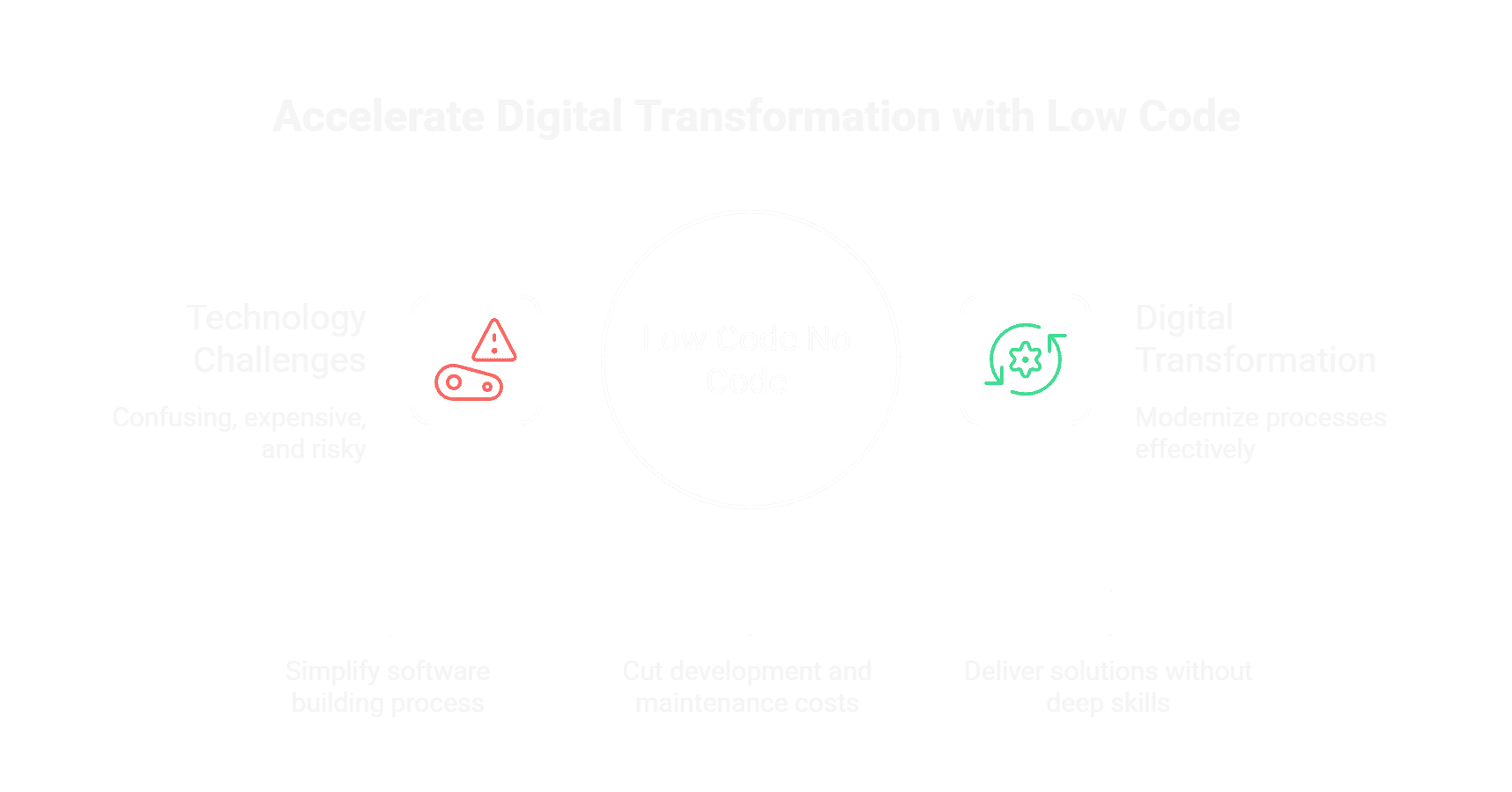
In today’s fast-changing business world, technology is no longer optional it is essential. But for many small business owners, technology feels confusing, expensive, and risky. On the other hand, CTOs and IT leaders are under constant pressure to deliver faster while cutting costs.

This is where Low Code No Code comes in.

These modern development approaches are changing how software is built. They reduce complexity, save money, and help businesses move faster without deep technical skills. More importantly, they play a major role in Digital Transformation, helping organizations modernize processes without overwhelming their teams.

In this blog, we will break everything down in very simple terms what it means, how it works, real use cases, pros and cons, and the best platforms available today.


What is Low Code No Code(LCNC)?

LCNC refers to software development methods that allow users to create applications with minimal or no traditional coding.

Low Code

Low code tools require some coding but much less than traditional development. They are ideal for IT teams and developers who want speed and flexibility.

No Code

No code tools require zero coding. They are designed for business users, often called a citizen developer, who can build apps using a drag-and-drop interface and visual programming.

Both approaches rely heavily on:

  • Visual workflows
  • Pre-built templates
  • Reusable components
  • Easy API integration

low code no code strcuture

Why Low Code No Code Is Growing So Fast

According to Gartner, by 2025, 70% of new applications will be built using low code or no code technologies, up from less than 25% in 2020.
Another Forrester report states that no-code platforms are growing at over 40% year-over-year, making them one of the fastest-growing segments in software development.

Why? Because businesses want:

  • Faster delivery
  • Lower development costs
  • Less dependency on hard-to-find developers

Why low code no code is growing so fast

Who Should Use Low Code No Code?

Small Business Owners (Afraid of Tech)

If technology feels intimidating, these platforms are built for you. You can:

  • Create simple apps without coding
  • Automate manual work
  • Test ideas quickly without large budgets

CTOs and IT Leaders (Cost-Focused)

For CTOs, Low Code No Code helps:

  • Reduce development backlogs
  • Lower engineering costs
  • Improve team productivity
  • Accelerate Digital Transformation initiatives

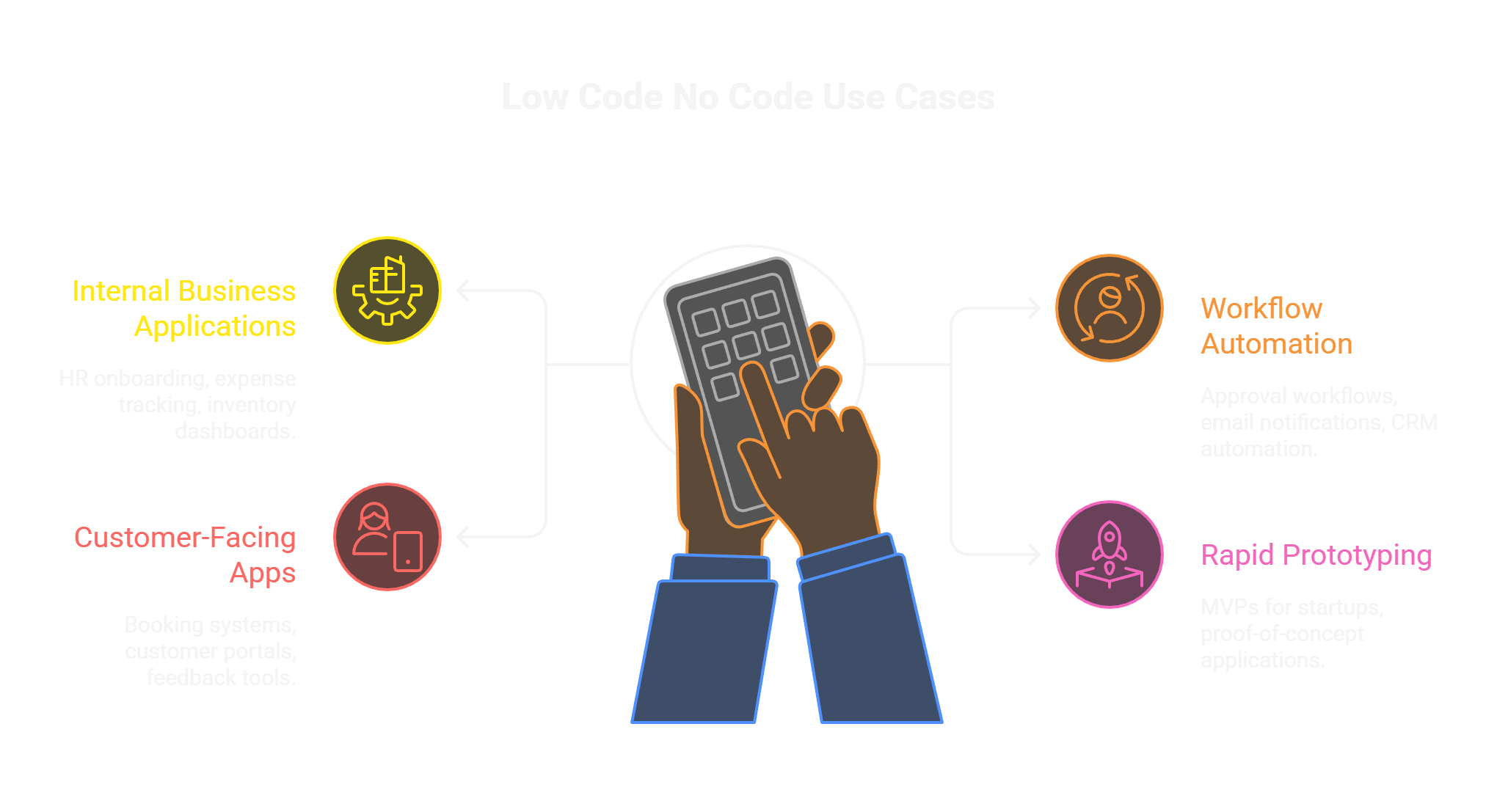
Common Use Cases of Low Code No Code

Here are real-world examples where these platforms shine:

Internal Business Applications

  • HR onboarding systems
  • Expense tracking apps
  • Inventory management dashboards

Workflow Automation

  • Approval workflows
  • Email notifications
  • CRM process automation

Customer-Facing Apps

  • Booking systems
  • Customer portals
  • Feedback and survey tools

Rapid Prototyping

  • MVPs for startups
  • Proof-of-concept applications

Common uses of low code no code

Pros of Low Code No Code Platforms

Faster Development

  • Apps can be built 10x faster than traditional methods.

Lower Costs

  • Less coding means fewer developer hours and reduced maintenance.

Empower Citizen Developers

  • Business users can solve problems themselves without waiting for IT.

Easy Integration

  • Most platforms support built-in API integration with popular tools.

Supports Digital Transformation

  • They enable quick modernization without massive infrastructure changes.

Cons of Low Code No Code Platforms

Limited Customization

  • Highly complex logic may still need traditional coding.

Vendor Lock-In

  • Switching platforms later can be challenging.

Performance Constraints

  • Not ideal for extremely high-scale or real-time systems.

Governance Challenges

  • Without proper controls, too many apps can create chaos.

Best Low Code Development Platforms (And Why They Stand Out)

OutSystems

  • Enterprise-grade performance
  • Strong security and scalability
  • Excellent for complex business apps

Mendix

  • Backed by Siemens
  • Powerful visual programming tools
  • Ideal for large-scale Digital Transformation projects

Microsoft Power Apps

  • Seamless integration with Microsoft ecosystem
  • Cost-effective for existing Microsoft users

Best No Code Platforms (And Why They Are Popular)

Bubble

  • Highly flexible no-code builder
  • Great for startups and MVPs

Webflow

  • Best for responsive websites
  • Designer-friendly interface

Airtable

  • Combines spreadsheets with database power
  • Perfect for internal tools and workflows

These platforms are considered the best because they balance ease of use, scalability, and strong community support.

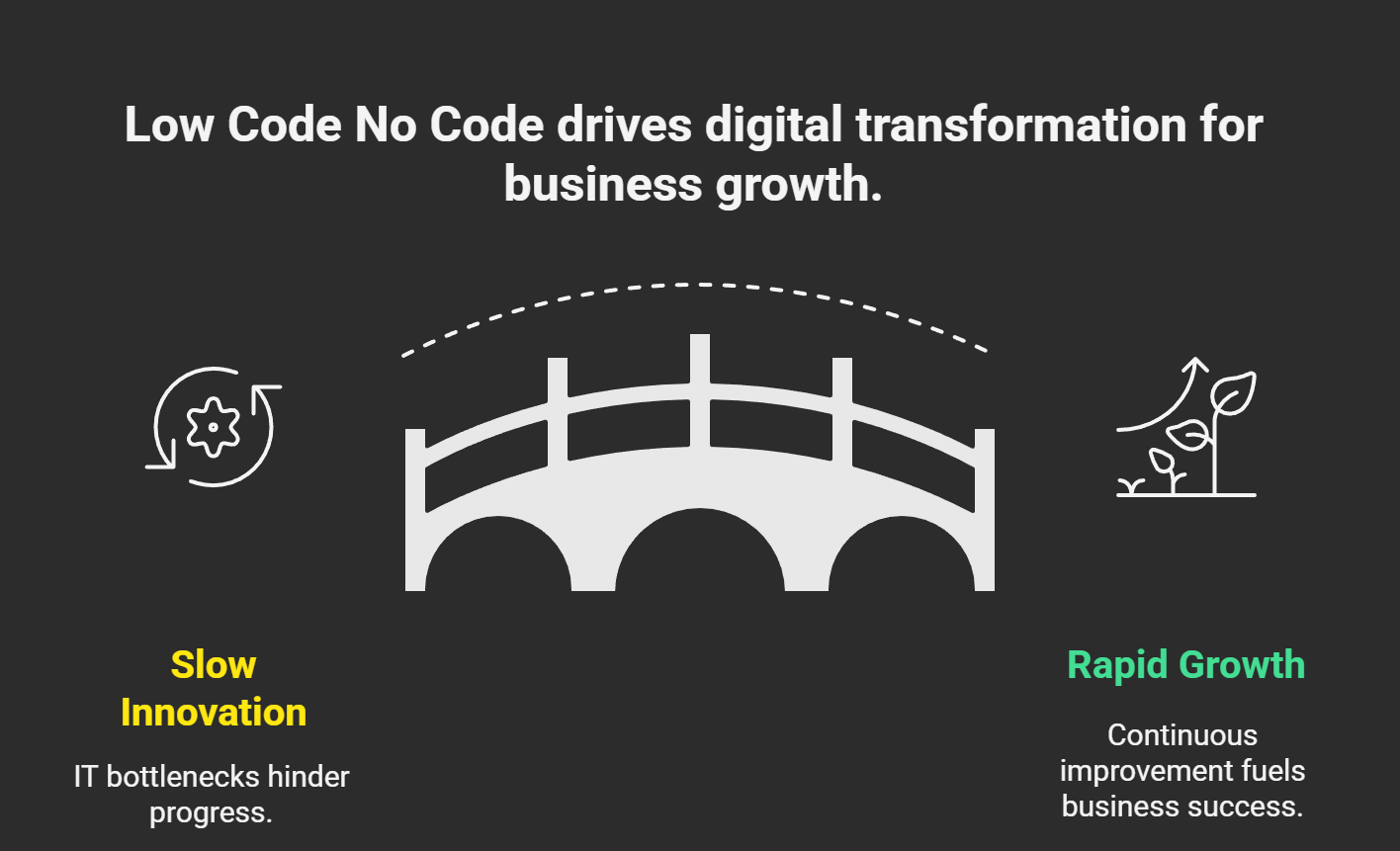
How Low Code No Code Supports Digital Transformation

Digital Transformation is not just about technology it’s about changing how businesses operate. Low Code No Code enables:

  • Faster innovation cycles
  • Better collaboration between business and IT
  • Continuous improvement without major disruptions

This makes them powerful enablers of long-term growth.

How Low Code No Code Supports Digital Transformation

Why Low Code No Code Is a Smart Business Move

Low Code No Code is no longer a trend it’s a smart business strategy. Whether you’re a small business owner nervous about technology or a CTO focused on reducing costs, these platforms offer a practical, efficient path forward.

They simplify development, empower teams, and accelerate Digital Transformation without unnecessary complexity.

Frequently Asked Questions

Q1. Is Low Code No Code secure?
A1. Yes, most leading platforms follow enterprise-grade security standards.
Q2. Can non-technical users really build apps?
A2. Absolutely. That’s why the term citizen developer exists.
Q3. Are these platforms scalable?
A3. Low code platforms scale very well; no code platforms are best for small to mid-scale apps.
Q4. Will they replace developers?
A4. No. They complement developers by reducing repetitive work.
Q5. Is Low Code No Code suitable for my business?
A5. If you want faster results with lower risk, the answer is yes.
Appzime Logo

Tell us what kind of developer you need

Our AI will analyze your requirements and match you with vetted developers from our global talent pool efficiently and accurately

Upload Job Description

Drag and drop your PDF or DOCX here, or click to browse

Supported formats: PDF, DOCX (Max 10MB)

Takes ~15 seconds · No signup required

AI Neural Matching Engine
Signals extracted: 0

Intelligent Talent Matching

Our AI neural network is processing your requirements across millions of data points

Analyzing job description

Extracting key requirements and technical specifications

Extracting skills and experience

Identifying required technologies, frameworks, and expertise levels

Searching vetted developer profiles

Scanning our global database of pre-screened professionals

Matching candidates with requirements

Applying proprietary algorithm to find best-fit matches

Shortlisting best-fit developers

Ranking and selecting top candidates for your review

Neural Match

Matched Developers

AI-powered matching based on your requirements

AI VERIFIED
4 Candidates Matched
Analyzing requirements...

AI Extracted Requirements

Your Requirements

Need More Candidates?

Unlock full roster with detailed profiles, interview recordings, and salary expectations.

Appzime Logo

Get Instant Candidate Access

Fill in your details to unlock full candidate profiles and connect with top talent.

Detailed JD helps us match better candidates
Tech Journal | AppZime Technologies